

Table of Contents
Introduction
We have all seen the eyes icon appear on a Snapchat story at some point and wondered: What do the eyes mean on Snapchat Story? Many users notice this symbol and immediately become curious about its purpose. Some think it shows who took a screenshot, while others assume it reveals exactly who viewed their story multiple times.
The confusion is understandable because Snapchat does not always explain its features clearly inside the app. As a result, many users start searching for answers after seeing the eyes icon for the first time.
I’ve seen people become concerned when they notice this symbol. Some believe someone is secretly monitoring their story, while others think it is related to screenshots or unusual account activity. In reality, the feature is much simpler than most users expect.
In this guide, I’ll explain exactly what the eyes mean on Snapchat Story, why they appear, where to find them, and what information Snapchat actually provides.
Why This Happens
Before understanding the eyes icon, it’s important to know why Snapchat added this feature.
Snapchat is designed around engagement. The company wants users to understand how people interact with their content, especially public stories.
As more creators, influencers, businesses, and regular users began posting public stories, Snapchat introduced additional analytics to help users understand audience behavior.
The eyes icon is part of Snapchat’s Story Rewatch Indicator system.
Instead of showing who specifically watched your story multiple times, Snapchat provides a count of how many users rewatched your story after seeing it once.
This gives creators a better idea of which stories are attracting extra attention.
What the Eyes Icon Actually Means
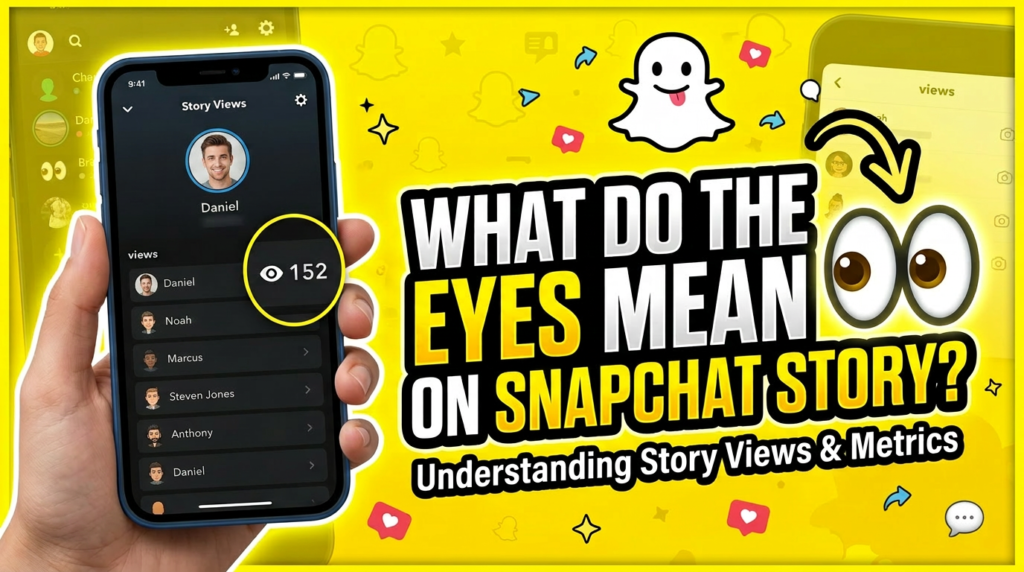
The eyes icon indicates story rewatches.
In simple terms:
Someone watched your story.
They came back later.
They watched it again.
Snapchat counts this as a rewatch.
The eyes icon displays the number of users who rewatched the story.
This feature is different from normal story views.
For example:
100 people view your story.
10 of those people watch it again.
The eyes icon may display a number close to 10.
This tells you that some viewers found the content interesting enough to revisit.
Does the Eyes Icon Show Who Rewatched?
No.
This is one of the most common misconceptions.
Snapchat does not reveal the identities of users who rewatched your story through the eyes indicator.
You can see the total number of rewatches, but you cannot see exactly which users performed them.
Many users search for hidden methods, third-party apps, or secret tricks to reveal rewatchers, but Snapchat does not provide this information.
Step-by-Step Solution
Step 1: Open Snapchat
Launch Snapchat on your device and sign into your account.
Make sure you are using the latest version of the app because some features may not appear correctly on outdated versions.
Step 2: Go to Your Profile
Tap your Bitmoji or profile icon located in the upper-left corner of the screen.
This will open your profile page where your stories are stored.
Step 3: Open Your Public Story
Navigate to your public story section.
Tap the story you want to analyze.
If the story qualifies for Snapchat’s Story Rewatch Indicator, you may see the eyes icon.
Step 4: Locate the Eyes Symbol
Look for the small eyes icon beneath your story statistics.
If present, Snapchat will display a number next to it.
This number represents how many viewers rewatched the story.
Step 5: Understand the Data
The eyes count is not:
A screenshot count.
A list of viewers.
A list of usernames.
A hidden tracking feature.
Instead, it is simply a rewatch metric.
The purpose is to help users understand audience engagement.
Real-World Example
Imagine you post a story announcing a giveaway.
The story receives:
500 views
50 rewatches
In this situation, the eyes icon indicates that many viewers returned to look at the information again.
This could mean:
The giveaway details were important.
The instructions needed another look.
The content generated strong interest.
The eyes icon helps identify this behavior.
Additional Solutions
Update Snapchat
If you do not see the eyes icon, update the application first.
Older versions may not display newer analytics features correctly.
Visit:
App Store (iPhone)
Google Play Store (Android)
Install the latest version.
Verify Story Type
The eyes indicator is commonly associated with public stories.
Private stories and certain account types may not display the same analytics.
Make sure you are checking the correct story section.
Wait for More Engagement
Stories with very low engagement may not always provide detailed analytics.
If only a few people viewed your story, the feature may not appear immediately.
Create More Engaging Stories
If you want more rewatches:
Share useful information.
Post announcements.
Use interesting visuals.
Tell a short story.
Ask questions.
Many creators notice higher rewatch rates when viewers need to read information more than once.
Use Snapchat Insights
Public creators may have access to additional analytics through Snapchat Insights.
These tools provide broader audience information beyond simple view counts.
Common Mistakes to Avoid
Assuming the Eyes Icon Means Screenshots
This is probably the biggest misconception.
The eyes icon has nothing to do with screenshots.
Snapchat uses separate screenshot notifications.
Believing It Reveals Usernames
The feature does not identify individual users.
No official Snapchat feature reveals exactly who rewatched a public story.
Using Third-Party Apps
Many websites and applications claim they can reveal who rewatched your Snapchat story.
Avoid them.
These services often:
Violate Snapchat policies.
Risk account security.
Provide inaccurate information.
Request sensitive login details.
Never share your Snapchat credentials with unofficial tools.
Confusing Views With Rewatches
A view and a rewatch are not the same thing.
A view occurs the first time someone watches the story.
A rewatch occurs when they return and watch it again.
Ignoring Story Content Quality
Some users obsess over analytics while ignoring content quality.
The best way to increase engagement is to create stories people actually want to watch.
Frequently Asked Questions
Q1: What do the eyes mean on Snapchat Story?
The eyes icon represents story rewatches. It shows how many viewers watched your story more than once.
Q2: Does the eyes icon mean someone took a screenshot?
No. Snapchat uses separate screenshot notifications. The eyes icon only relates to rewatches.
Q3: Can I see who rewatched my Snapchat Story?
No. Snapchat only provides the number of rewatches, not the identities of the users.
Q4: Why don’t I see the eyes icon on my story?
The feature may not be available for every story type, account type, or app version. Updating Snapchat may help.
Q5: Are third-party apps able to show who rewatched my story?
No trusted third-party app can reliably reveal this information. Using such apps may put your account at risk.
Conclusion
The eyes icon on Snapchat Story is one of the platform’s most misunderstood features. Many users mistakenly believe it shows screenshots, secret viewers, or the names of people who repeatedly watch their stories. In reality, the feature is much simpler.
The eyes symbol is Snapchat’s Story Rewatch Indicator. It measures how many users returned to watch your story again after their initial view. This helps creators, businesses, and everyday users understand which content attracts the most attention and engagement.
Although Snapchat provides the number of rewatches, it does not reveal exactly who performed them. This limitation protects user privacy while still giving content creators useful engagement data.
If you notice the eyes icon on your story, think of it as a positive signal. It often means your content was interesting enough for viewers to come back and watch it again. Whether you’re sharing personal updates, promoting a business, or posting public content, understanding this feature can help you better evaluate how your audience interacts with your stories.
By understanding what the eyes mean on Snapchat Story and avoiding common misconceptions, you can use Snapchat’s analytics more effectively and focus on creating content that keeps people coming back for more.